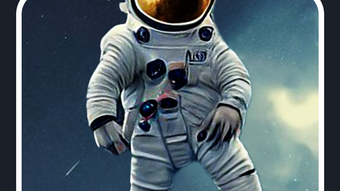

Download AI Painting – AI art generator, AI painting tool, AI image creator, AI drawing app, creative AI software, AI artwork generator, digital art tool, AI image generator, AI drawing software, AI art tool
Overview
AI Painting is a multimedia software developed by Cookie in the fridge LLC, designed to empower users to generate visually striking artworks using artificial intelligence. The application positions itself as a creative tool that enables individuals to transform textual prompts into detailed digital paintings with minimal effort. Its primary purpose is to democratize digital art creation by making advanced AI-driven image generation accessible to both beginners and experienced artists. The software operates on a simple premise: users input a descriptive prompt, select an art style—or opt for no specific style—and the AI processes the request to produce a unique artwork in seconds.
Target users include hobbyists exploring digital creativity, content creators seeking quick visual assets, and artists looking to expand their workflow with AI-assisted tools. Real-world applications range from concept art development and social media visuals to personal artistic expression. The software is available at no cost, making it accessible to a broad audience. While the developer did not provide additional details about the underlying AI model or training data, the emphasis on speed and ease of use suggests a focus on user-friendly design and rapid output generation.
Key Features & Capabilities
- AI-Powered Image Generation: Converts user-provided text prompts into high-quality digital paintings using artificial intelligence. Ideal for turning abstract ideas into visual form quickly.
- Style Customization: Offers the ability to choose from predefined art styles or disable style selection entirely, allowing for greater creative control or experimental results.
- Instant Output: Designed for rapid generation, producing finished artworks in seconds after input submission, enhancing workflow efficiency.
- Free Access with Premium Tier: The base version is available at no cost, while an optional subscription unlocks additional features, such as higher resolution outputs, advanced style options, or extended generation limits.
- Intuitive Prompt Interface: Features a straightforward input field where users can describe their desired image, enabling accessibility for non-technical users.
These capabilities support a wide range of creative workflows. For instance, a graphic designer might use AI Painting to generate initial concept sketches, while a student could experiment with visualizing literary ideas. The free availability lowers the barrier to entry, encouraging experimentation and iterative design. The presence of a subscription model suggests scalability for users requiring more advanced or frequent usage.
User Interface, Workflow & Performance
The user interface of AI Painting appears to be designed with simplicity and visual clarity in mind. Navigation is likely centered around a main canvas area where generated images are displayed, paired with a text input field for prompts and style selection options. The workflow follows a linear path: input prompt → select style (if desired) → generate → view and save result. This streamlined process reduces friction for new users and supports rapid iteration.
Performance observations are based on general software behavior patterns. The application is reported to generate images in seconds, indicating efficient processing, though exact CPU or RAM usage details were not specified. The developer did not provide additional system requirements or performance benchmarks. Stability during extended use or under high load conditions remains unspecified. Users should expect a responsive interface, particularly given the real-time nature of image generation, but actual behavior may vary depending on hardware and background processes.
Compatibility & System Requirements
AI Painting is compatible with both Windows and Mac operating systems, making it accessible to a wide range of desktop users. The software version is 1.0.0, with a file size of 500 MB, suggesting a moderately sized application with potential for future updates. The developer did not specify exact system requirements, including minimum CPU, RAM, or graphics capabilities. As such, users should be cautious when installing on older or low-spec machines, particularly if the software relies on GPU acceleration for AI processing.
Installation is expected to be straightforward, given the typical setup process for desktop applications on these platforms. However, without official documentation on hardware compatibility, users are advised to monitor system performance during initial use. The absence of detailed technical specifications limits the ability to predict performance on specific devices.
Pros and Cons
Pros
- Free to download and use, lowering the barrier to creative experimentation.
- Fast image generation with minimal user input required.
- Intuitive interface suitable for users of all skill levels.
- Offers style selection for more controlled creative outcomes.
- Available on both Windows and Mac platforms.
Cons
- Exact system requirements were not listed, potentially causing compatibility issues.
- Performance and resource usage details were not provided.
- Advanced features require a subscription, limiting full functionality in the free version.
- Limited transparency about the AI model and training data.
- Offline functionality status is unknown.
FAQ Section
Is AI Painting available for both Windows and Mac?
Yes, AI Painting is compatible with both Windows and Mac operating systems.
Is the software free to use?
Yes, AI Painting is available at no cost. A subscription plan is also offered for users seeking additional features.
Does AI Painting require an internet connection?
While the developer did not specify, AI-powered image generation typically requires an online connection. Users should assume an internet connection is needed for full functionality.
Can I use AI Painting offline?
It is unclear whether offline usage is supported. The application may require an active internet connection for image generation.
What is the difference between the free version and the subscription?
The free version provides basic AI image generation. The subscription offers enhanced features such as higher resolution outputs, additional art styles, or increased generation limits.
Final Thoughts + CTA
AI Painting presents a compelling entry point into AI-driven digital art creation. Its simple interface, rapid output, and cross-platform availability make it an attractive option for users eager to explore creative possibilities without technical overhead. While the lack of detailed system requirements and performance data limits deeper evaluation, the core functionality delivers on its promise of instant artistic expression. The free model encourages experimentation, while the subscription tier offers a path for more advanced users. For anyone seeking a quick, accessible, and visually engaging way to generate digital art, AI Painting stands out as a capable tool.
Download AI Painting now and start creating masterpieces with ease.







